Introduction
Project Overview
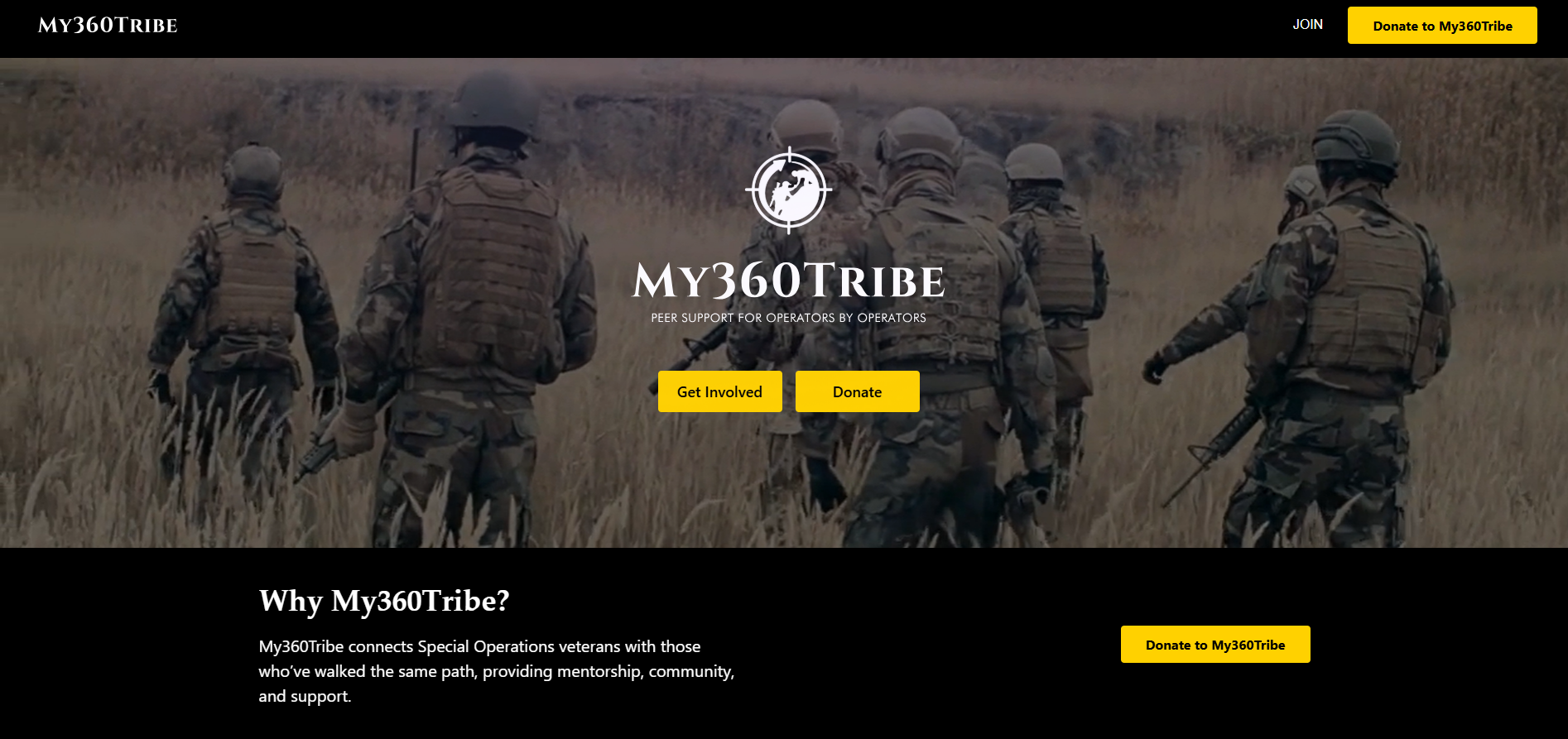
my360tribe is a secure, cloud-ready backend platform designed to manage employee support requests, user access, and organizational workflows in one centralized system. It acts as the engine behind a digital support ecosystem where employees can submit requests for assistance whether related to mental health, career transitions, workplace challenges, or general support and qualified operators and care professionals can receive, process, and manage those requests in an organized and traceable way.
The platform handles everything from how users sign in (including via Google), to how files are securely uploaded, to how emails are sent when someone needs to reset their password or confirm their account. Every interaction is logged, role-protected, and structured to ensure only the right people see the right information.
Think of it as a company's internal support helpdesk, but smarter, more structured, and purpose-built for employee wellbeing and career transition tracking. It sits at the intersection of HR technology, employee assistance programs (EAP), and corporate wellness platforms designed for organizations that want a structured, digital first approach to supporting their workforce.
Mechanism
Project Description
my360tribe is a modular monolith backend platform built on NestJS. Each major feature authentication, users, support requests, files, emails is built as an independent, self-contained module. The result is a system that is both maintainable today and scalable for growth.
The problem it solves
In many organizations, employees struggle to find help through disconnected systems, informal emails, or manual paperwork. Support requests get lost, there is no visibility into case status, and HR professionals have no structured queue to work from. my360tribe solves this by giving every stakeholder exactly what they need employees a single place to submit, operators a structured workflow to manage, and administrators full visibility and control with automated communication ensuring nothing falls through the cracks.
How it works end-to-end
- Employee submits a requestAn employee logs in and submits a support request specifying the type of support needed, employment status, work location, operator branch, and any supporting documents.
- Request enters the queueThe request is automatically linked to the submitting user and routed to the appropriate operator or intake care specialist based on configuration.
- Operator manages the caseThe assigned operator sees the request in their dashboard, views case details, updates status, attaches documents, and communicates through the platform.
- Automated emails fire at each stageThe platform sends branded HTML emails at every critical touchpoint account confirmation, password reset, status updates without manual intervention.
- Files are handled securelySupporting documents are uploaded via the platform and stored either locally (development) or on AWS S3 (production), accessible only via time-limited presigned URLs.
- Admin oversees everythingAdministrators manage user accounts, assign roles, and monitor the entire system from a single interface with every action role-gated and auditable.
The relay model
The platform works like a carefully organized relay from the moment a person submits a request to the moment it is resolved with every step tracked, every document secured, and every communication automated. No request goes untracked. No file is stored without access control. No role can exceed its permissions.
Primary Industry
| Domain | Detail |
|---|---|
| Primary Industry | Human Resources (HR) & Employee Wellbeing |
| Secondary Industry | Mental Health Support Services |
| Tertiary Industry | Enterprise SaaS / Workforce Management |
- Enterprise HR & People Operations
- Employee Assistance Programs (EAP)
- Corporate Mental Health & Wellness
- Career Transition Support Services
- Workforce Management Platforms
- Peer Support & Ambassador Networks
Roles
Who the End Users Are
The platform supports 7 distinct user roles, each with different levels of access and a completely different view of the system.
| Role | Who They Are | What They Do |
|---|---|---|
| Super Admin | Platform owners / technical leads | Full system access and configuration highest level of control |
| Admin | IT / HR Administrators | Manage users, roles, and platform configuration across the organization |
| Operator | HR professionals or support coordinators | Receive, process, and manage employee support requests end-to-end |
| Concierge | Front-line support staff | Assist with routing incoming requests and initial support coordination |
| Intake Care | First-contact support specialists | Handle the initial intake and triage of all new support requests |
| Peer Ambassador | Trained employee volunteers | Provide peer-to-peer support and follow-up to fellow employees |
| User | Regular company employees | Submit support requests, manage their profile, and track their own case status |
Core Features
Authentication & Account Management
Email/password sign-up and login, Google Sign-In (one-click), email confirmation for new accounts, secure password reset via email, and profile photo upload support.
Role-Based Access Control
7 distinct user roles Super Admin, Admin, Operator, Concierge, Intake Care, Peer Ambassador, and User each with carefully scoped permissions enforced on every endpoint.
Support Request Management
Full request lifecycle: submit → view → update → close. Employees specify support type, employment status, transition dates, work location, and operator branch. Requests are linked to the submitting user automatically.
Secure File Uploads
Upload supporting documents up to 5MB. Files stored locally in development or on AWS S3 in production. Private files accessible only via secure, time-limited presigned URLs.
Automated Email Notifications
Branded HTML email templates via Nodemailer and Handlebars welcome emails, email verification links, password resets, and account change confirmations all automated.
Google OAuth Sign-In
One-click Google Sign-In via Google Auth Library. Users can authenticate without creating a password reducing friction and increasing adoption within organizations already using Google Workspace.
Interactive API Documentation
Full Swagger / OpenAPI documentation available at /docs. Frontend developers and integration partners can explore all endpoints, request/response schemas, and authentication requirements interactively.
Multi-Language Support (i18n)
Internationalization framework built in from day one. Default language is English, with the architecture ready to expand to any additional language without code restructuring.
Session & Token Management
Access tokens with 15-minute expiry, long-lived refresh tokens for seamless re-authentication, and server-side session hash invalidation so stolen tokens can be revoked instantly.
Profile Management
Users manage their own profiles including photo upload. Admins manage the full user directory create, read, update, and delete accounts with every change role-gated.
Modular Architecture
10+ independent NestJS modules Auth, Google Auth, Users, Requests, Files, Mail, Session, Roles, Statuses, and Database each maintainable and scalable in isolation.
Developer Tooling
Jest for automated unit and E2E testing, ESLint + Prettier for code quality, Husky for pre-commit hooks, and Hygen for code scaffolding a complete developer workflow out of the box.
Technologies Used
Backend framework
| Technology | Purpose |
|---|---|
| NestJS (v10) | Core application framework structured, modular, scalable |
| Node.js | Runtime environment |
| Express.js | Underlying HTTP server |
Database
| Technology | Purpose |
|---|---|
| MongoDB | Primary NoSQL database for flexible, scalable data storage |
| Mongoose | Database object modeling and schema validation |
Authentication & security
| Technology | Purpose |
|---|---|
| JWT (JSON Web Tokens) | Secure, stateless user authentication |
| Passport.js | Authentication middleware (JWT, refresh tokens, anonymous) |
| bcryptjs | Secure password hashing |
| Google Auth Library | Google OAuth 2.0 sign-in |
File storage
| Technology | Purpose |
|---|---|
| Multer | File upload handling middleware |
| AWS S3 | Cloud file storage (production) |
| Multer-S3 | Direct S3 upload integration |
| AWS S3 Presigned URLs | Secure, time-limited file access links |
Communication
| Technology | Purpose |
|---|---|
| Nodemailer | Email delivery via SMTP |
| Handlebars | HTML email template engine |
| MailDev | Local email testing in development |
API & validation
| Technology | Purpose |
|---|---|
| Swagger / OpenAPI | Interactive API documentation at /docs |
| class-validator | Input data validation |
| class-transformer | Data serialization and transformation |
Developer tools
| Technology | Purpose |
|---|---|
| Docker | Containerization for local development and deployment |
| Jest | Automated testing framework (Unit + E2E) |
| ESLint + Prettier | Code quality and formatting |
| Husky | Git hooks for pre-commit checks |
| Hygen | Code scaffolding and generation |
Programming languages
| Technology | Purpose |
|---|---|
| TypeScript | Primary language all application source code |
| JavaScript | Configuration and utility scripts |
| Handlebars (HBS) | Email template rendering |
| YAML | Docker and infrastructure configuration |
| JSON | Package configuration and API contracts |
Architecture Overview
The platform follows a clean, modular architecture each major feature is built as an independent NestJS module that can be maintained and scaled separately. Every module enforces a strict internal separation of concerns.
Module structure
my360tribe Backend (NestJS)
│
├── Auth Module          → Login, registration, token management
├── Google Auth Module   → Google OAuth 2.0 integration
├── Users Module         → User CRUD and profile management
├── Requests Module      → Core support request lifecycle
├── Files Module         → Secure file upload and retrieval
├── Mail Module          → Email delivery and templates
├── Session Module       → Secure session tracking
├── Roles Module         → Role-based access definitions
├── Statuses Module      → User / request status management
└── Database Layer       → MongoDB via Mongoose ODM
Internal module pattern
Each module follows a consistent internal structure:
- Controllers — Handle incoming HTTP requests and delegate to services
- Services — Contain all business logic the core of each module
- DTOs — Define and validate the shape of incoming and outgoing data
- Domain Models — Represent the core business entities within the module
- Persistence Layer — Database interaction via Mongoose repositories
- RESTful API versioned under /api/v1/ all endpoints follow consistent resource naming
- Every sensitive endpoint enforces role-based guards at the controller level
- Authentication is stateless JWT tokens carry all required identity claims
- File storage is environment-aware local driver in development, S3 in production
- Email delivery uses Nodemailer in all environments, MailDev intercepts locally for testing
Security Architecture
| Security Feature | Implementation |
|---|---|
| Access Tokens | JWT with 15-minute expiry short-lived to limit exposure |
| Refresh Tokens | Long-lived tokens (10 years) for seamless re-authentication without re-login |
| Password Reset Tokens | Single-use tokens that expire after 30 minutes |
| Email Confirmation Tokens | Expire after 24 hours unverified accounts cannot access the platform |
| Password Storage | Never stored in plain text bcrypt hashed with salt rounds |
| Session Invalidation | Server-side session hash stolen tokens can be revoked without waiting for expiry |
| Role Guards | Every sensitive endpoint enforces role-based access checks at the controller level |
| File Access | Private files only accessible via expiring presigned S3 URLs never publicly exposed |
| CORS | Cross-origin access control configured at the application level |
- JWT access tokens 15-minute expiry limits blast radius of token theft
- bcrypt password hashing plain text passwords never touch the database
- Single-use password reset tokens expire in 30 minutes
- Email confirmation tokens expire in 24 hours
- Server-side session hash allows instant token revocation
- Role guards on every sensitive endpoint no role can exceed its permissions
- AWS S3 presigned URLs private files never publicly accessible
- CORS policy configured at the application level
- No raw error stack traces in API responses safe error serialization
API Overview
The platform exposes a RESTful API versioned under /api/v1/ with full interactive documentation available at /docs via Swagger UI.
| Endpoint Group | Base Path | Key Operations |
|---|---|---|
| Authentication | /api/v1/auth | Register, Login, Logout, Password Reset, Token Refresh |
| Google Login | /api/v1/auth/google | Google OAuth Sign-In flow |
| Users | /api/v1/users | Create, Read, Update, Delete users (admin only) |
| Requests | /api/v1/requests | Submit, View, Update, Delete support requests |
| Files | /api/v1/files | Upload and retrieve secure files |
| Health Check | / | API status and version info |
Full interactive documentation with request/response schemas available at /docs (Swagger UI)
Infrastructure & Deployment
| Component | Technology |
|---|---|
| Containerization | Docker + Docker Compose |
| Database Server | MongoDB (containerized) |
| Database Admin UI | Mongo Express |
| Email Testing | MailDev (local development) |
| File Storage (Dev) | Local filesystem driver |
| File Storage (Prod) | AWS S3 with Multer-S3 |
| Environment Config | .env files with validation |
- Docker Compose spins up the full stack locally NestJS app, MongoDB, Mongo Express, and MailDev
- File storage driver is environment-aware swap from local to S3 with a single config change
- MailDev intercepts all outgoing emails in development no real emails sent during testing
- MongoDB admin UI via Mongo Express for local database inspection
- Environment variables fully validated at startup the app will not boot with missing config
Project Summary
| Project Type | Enterprise SaaS Backend Platform |
| Architecture Pattern | Modular Monolith (NestJS Modules) |
| API Style | RESTful with versioning (/api/v1/) |
| Primary Language | TypeScript |
| Backend Framework | NestJS (v10) + Node.js + Express.js |
| Database | MongoDB + Mongoose |
| Authentication Methods | 2 — Email/Password + Google OAuth |
| User Roles | 7 distinct roles with fine-grained permissions |
| Core Modules | 10+ |
| File Storage Drivers | 3 Local, AWS S3, S3 Presigned URLs |
| Test Framework | Jest (Unit + E2E) |
| API Documentation | Swagger / OpenAPI 3.0 at /docs |
| Containerization | Docker + Docker Compose |
| Language Coverage | Multi-language (i18n framework built in) |
| Target Market | Organizations managing employee support and wellbeing programs |
- 7 user roles with route-level role guards on every sensitive endpoint
- 10+ independent NestJS modules each self-contained and independently scalable
- 3 file storage drivers local for development, S3 for production, presigned URLs for secure access
- 2 authentication methods Email/Password and Google OAuth with stateless JWT sessions
- Automated email delivery for every critical touchpoint via Nodemailer + Handlebars templates
- Full Swagger / OpenAPI documentation generated automatically from code annotations
- Complete Docker Compose setup full local environment with one command
my360tribe is a full-featured employee support management platform built on NestJS and MongoDB. It enables organizations to digitize and streamline their employee assistance workflows from mental health support requests to career transition tracking through a secure, role-based system that connects employees, operators, and administrators in one unified platform. Built with enterprise-grade security, cloud-native file storage, automated email communication, and a clean RESTful API, it is engineered for teams that take employee wellbeing seriously.